

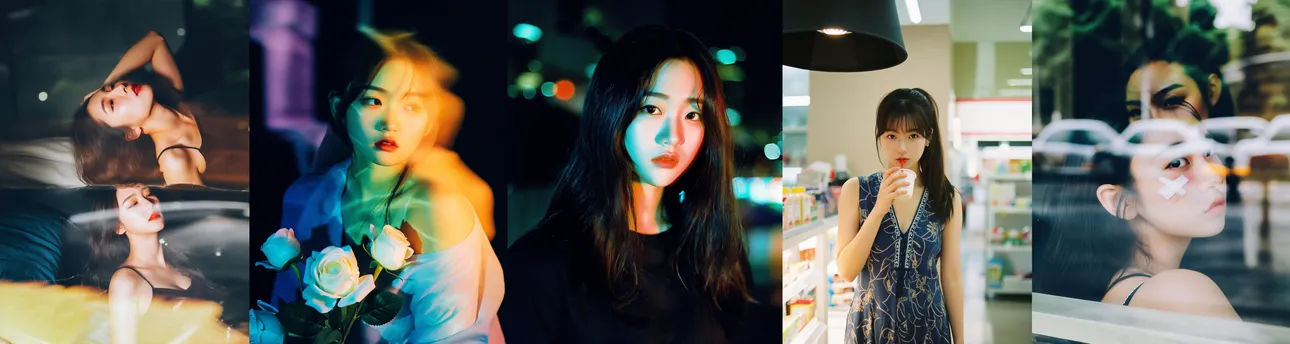
 Recommended LoRA Weight: 0.8/0.9
This is a style enhancement LoRA for Qwen-Image, specifically designed to enhance film photography style. Trained with long bilingual (Chinese-English) captions, it responds exceptionally well to both languages. It can render male subjects, generate poster-ready images directly, and accurately render Chinese characters.
Sample Prompt (Chinese): 这是一张电影风格的照片,在昏暗的环境中拍摄了一个年轻人的两个不同特写.图片的上半部分显示了这个年轻人从肩膀以上,右手拿着一支点燃的香烟.他有一头深色短发和浅色皮肤.他穿着一件复古的图案衬衫,上面有棕色和橙色的几何设计.灯光柔和,为场景投下了一种温暖的,近乎棕褐色的色调.在背景中,另一个人稍微失焦,穿着浅色衬衫和深色裤子,营造出一种深度感.,图像的下半部分放大了年轻人的脸,聚焦在他的眼睛上,当他吸入香烟烟雾时,眼睛是闭着的.他的表情是沉思的,灯光更加柔和,强调了当下的亲密感.这里的背景是模糊的,但它似乎是一个室内环境,有一堵中性色的墙,可能还有一扇反射光线的窗户或镜子.这张照片的整体质感有一种颗粒状,胶片般的质感,增添了怀旧,复古的美感.,
Sample Prompt (English): This is a film-style photo featuring two distinct close-ups of a young man captured in a dim environment. The upper part of the image depicts the young man from the shoulders up, holding a lit cigarette in his right hand. He possesses dark short hair and light skin, and wears a vintage patterned shirt adorned with geometric designs in brown and orange. The soft lighting casts a warm, almost sepia-toned hue over the scene. In the background, another person, slightly out of focus, wears a light-colored shirt and dark pants, creating a sense of depth. The lower part of the image zooms in on the young man's face, focusing on his eyes, which are closed as he inhales cigarette smoke. His expression is contemplative, and the lighting, even softer, accentuates the intimacy of the moment. The background is blurred, but it appears to be an indoor setting with a neutral-colored wall and possibly a reflective window or mirror. The overall texture of this photo has a grainy, film-like quality, adding a nostalgic, vintage aesthetic,
If writing detailed natural language prompts gives you a headache, you can use AI text tools to reference the format and rewrite it according to your needs.
Usage Recommendations: Since running Qwen-Image locally requires significant VRAM, running online is recommended. Below are the recommended settings for local generation:
Basic Settings: In ComfyUI's "Workflow" dropdown menu, select "Browse Templates" and load the template workflow for Qwen-Image.
Sampler: euler
Scheduler: simple
Steps: 20-30
CFG: 4 (feel free to experiment and adjust)
Model Sampling Algorithm AuraFlow Shift: 3 (feel free to experiment and adjust)
Recommended Resolutions: 768×1024, 768×1152, 1024×1152, 1024×1280, 1024×1536, etc.
If generating reverse prompts using Joy Caption Two:
Prompt Type Recommendation: Descriptive (Informal)
Prompt Length Recommendation: very long
If you like this model, please share your generated images to support it. Thank you!
QQ Groups:
Moyou Alchemy Pavilion - Taiqing Hall: 858495398
Moyou Alchemy Pavilion - Shangqing Hall: 764481772
Please also follow my Xiaohongshu (RED) and Douyin accounts: yy469370733
Reprinted from: Qwen-Image-Film Enhancement
Gallery
No creation yet
