

Next Scene-Qwen-Image-LoRA-2509 is a LoRA adapter fine-tuned on Qwen-Image-Edit (version 2509), specifically built to generate cinematic image sequences with natural visual continuity across frames.
This model allows Qwen Image Edit to think like a film director—understanding camera movement, visual composition, and narrative coherence to create seamlessly connected visuals.
Model Features:
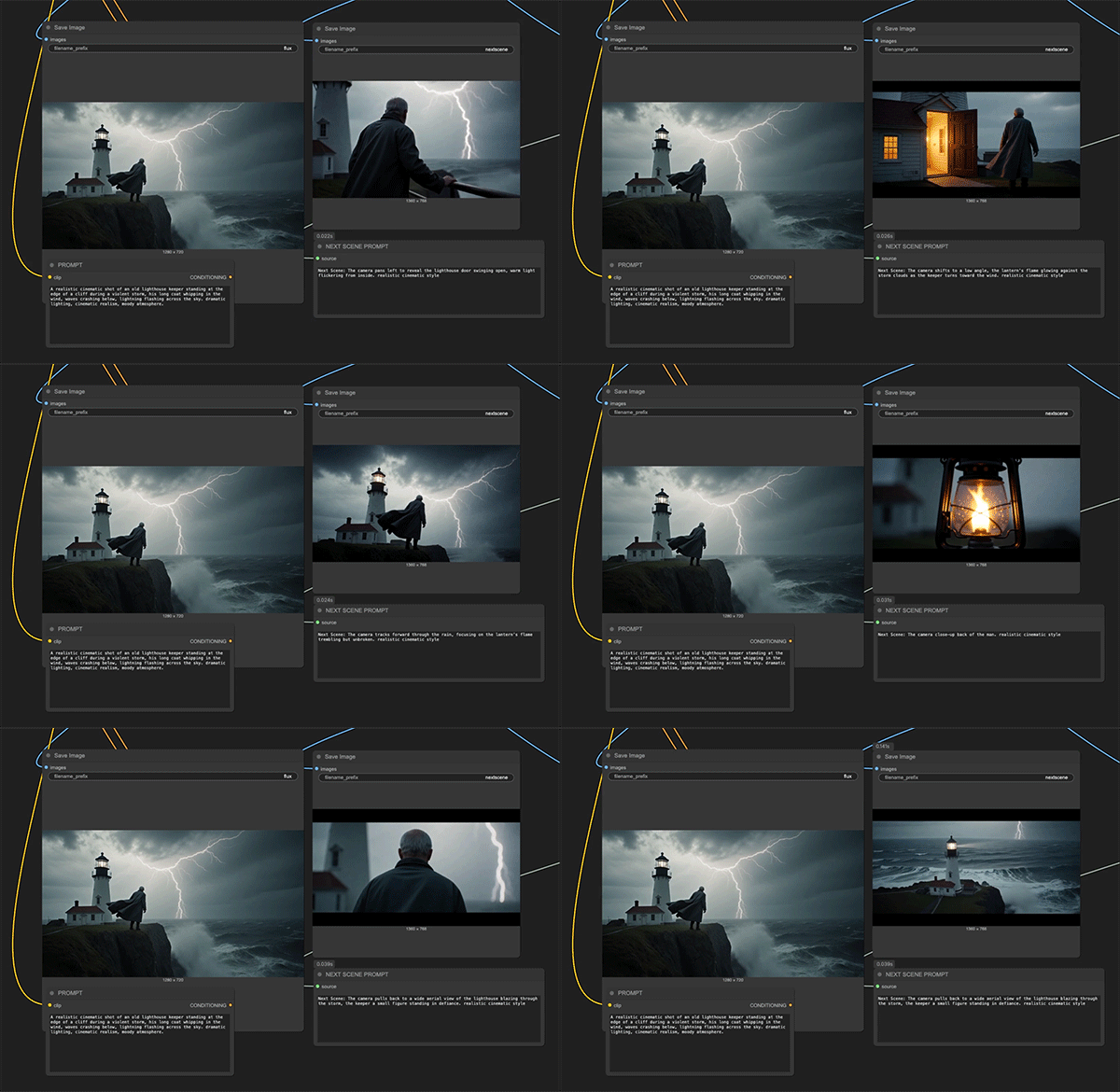
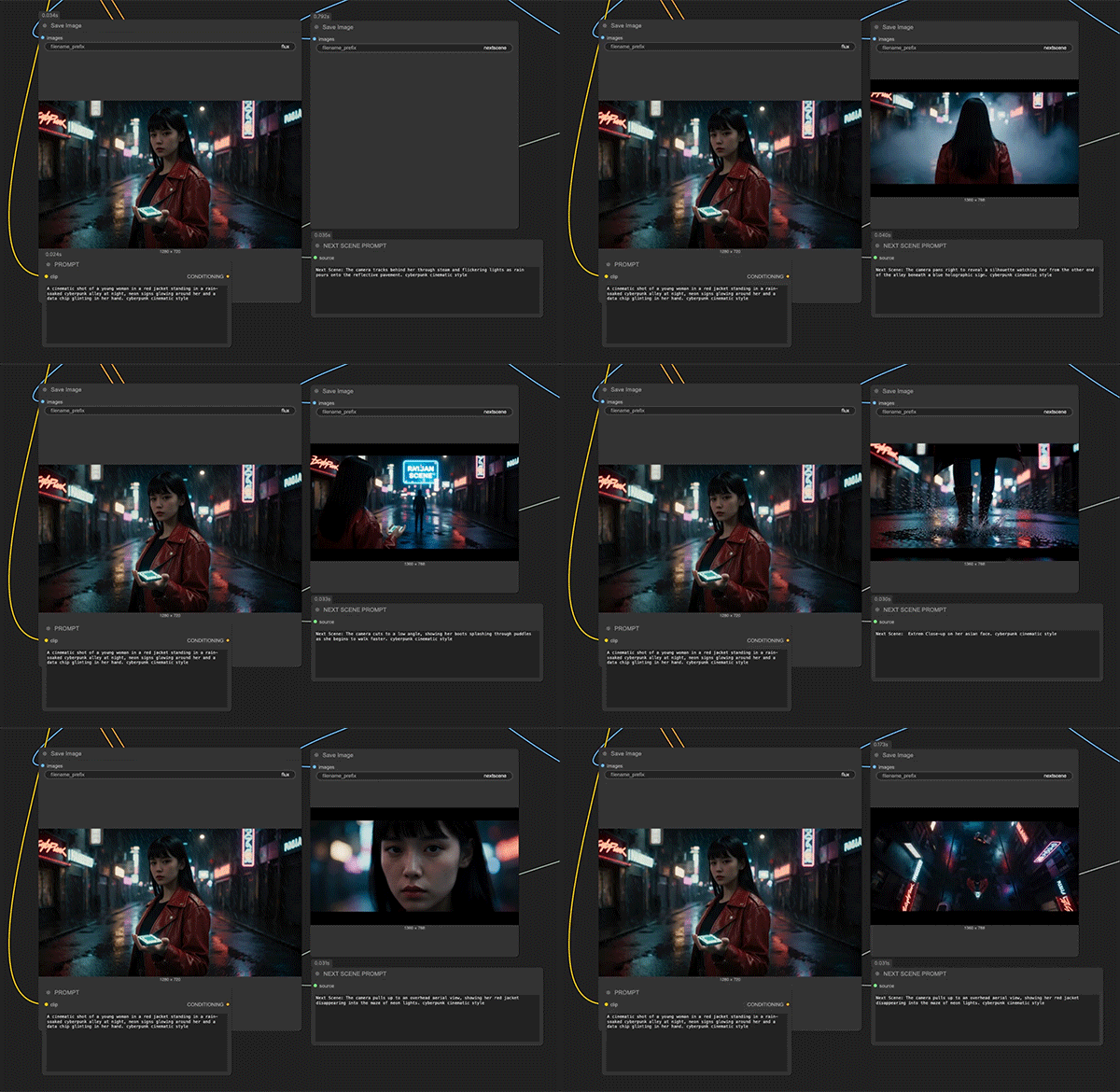
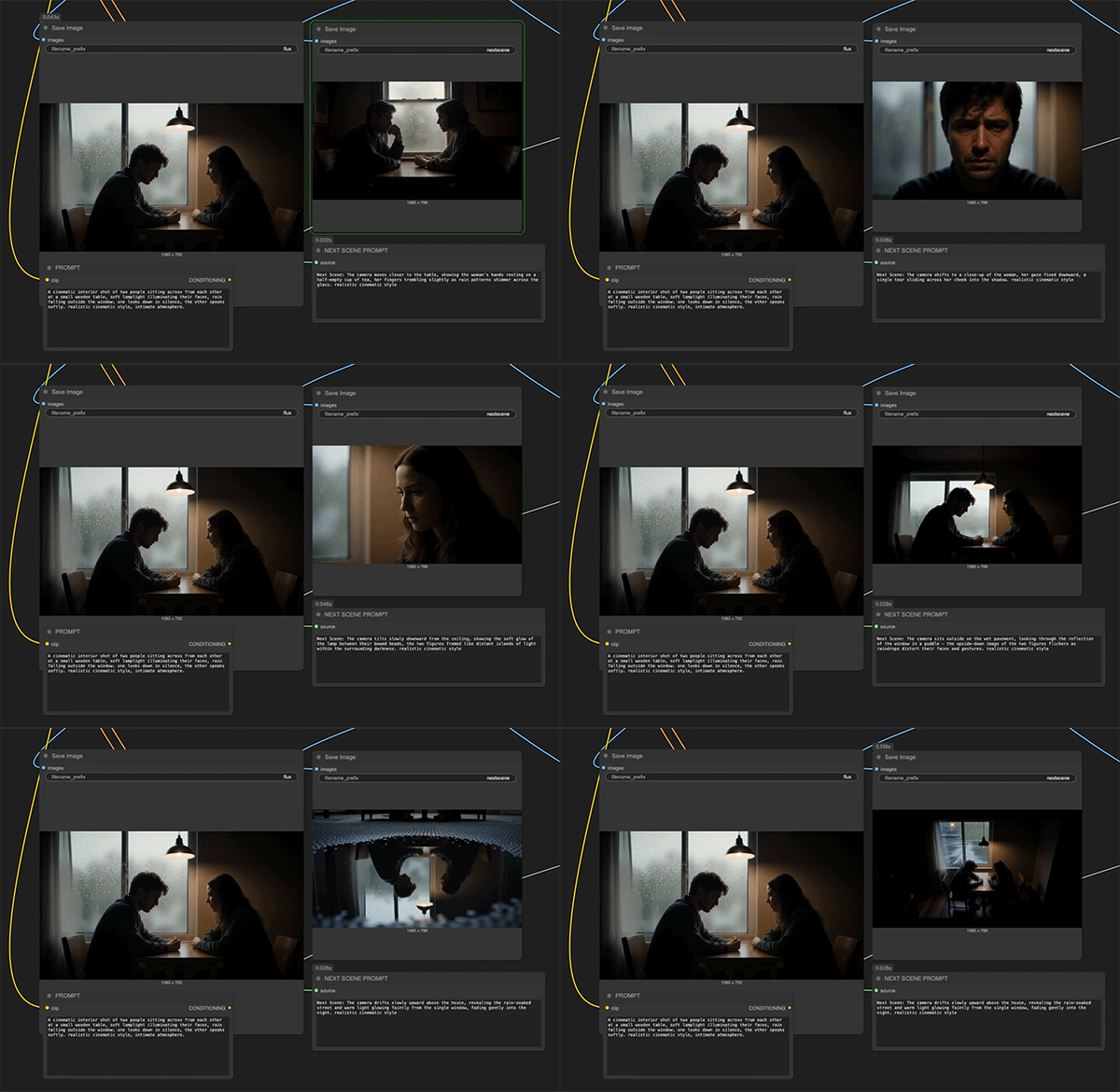
Each output frame serves as a "Next Scene" in the evolution of visual storytelling, maintaining compositional continuity while introducing organic transitions, such as:
- Camera movement: Dolly shots, push-ins, pull-backs, and tracking moves
- Framing evolution: Wide to close-up transitions, angle shifts, and reframing
- Environmental reveals: New characters entering the frame, expanded scenery, and spatial progression
- Atmospheric shifts: Lighting changes, weather evolution, and time-of-day transitions
Cinematic Logic Examples:
- "Next Scene: The camera pulls back from a tight close-up on the airship to a sweeping aerial view, revealing an entire fleet of vessels soaring through a fantasy landscape."
- "Next Scene: The camera tracks forward and tilts down, bringing the sun and helicopters closer into frame as a strong lens flare intensifies."
- "Next Scene: The camera pans right, removing the dragon and rider from view while revealing more of the floating mountain range in the distance."
Recommended LoRA strength setting: 0.7 – 0.8
For optimal results
Example Prompt:
Reference Prompt: Next Scene: The camera moves slightly forward as sunlight breaks through the clouds, casting a soft glow around the character's silhouette in the mist. Realistic cinematic style, atmospheric depth.
Pro Tips:
- Begin prompts with camera direction for stronger continuity
- Specify lighting and atmospheric changes for mood consistency
- Chain multiple generations to create sequential storyboards
- Works particularly well with landscape and establishing shots
Use Cases:
- Storyboard generation for film and animation pre-production
- Cinematic AI video pipelines requiring frame-to-frame coherence
- Sequential narrative workflows in ComfyUI and similar tools
- Concept art evolution showing scene progression
- Visual storytelling for creative projects and presentations
Important Limitations
- Not optimized for: Static portraits, single-image illustration tasks, or non-sequential edits
- Best suited for: Multi-frame workflows with narrative progression
- Design priority: Storytelling flow and continuity over isolated image perfection
- Recommended use case: Scene-to-scene transitions rather than detailed object manipulation
Prompt Format: Next Scene: [describe content here], XXX style
Original Model Author: lovis93
Reprinted from: Understanding camera movement, visual composition, and narrative coherence
作品
暂无作品
