

Download Link: https://huggingface.co/dx8152/Qwen-Edit-2509-Multiple-angles/tree/main
Prompts are very rich, and you can write your own: Move the camera forward (Move the camera forward.) Move the camera left (Move the camera left.) Move the camera right (Move the camera right.) Move the camera down (Move the camera down.) Rotate the camera 45 degrees to the left (Rotate the camera 45 degrees to the left.) Rotate the camera 45 degrees to the right (Rotate the camera 45 degrees to the right.) Switch the camera to a top-down view (Turn the camera to a top-down view.) Switch the camera to a wide-angle lens (Turn the camera to a wide-angle lens.) Switch the camera to a close-up (Turn the camera to a close-up.) ... There are many possibilities; you can try them yourself.
Instructions: Download the LoRA file to the models/loras folder.
You also need this LoRA module and should use them together: https://huggingface.co/lightx2v/Qwen-Image-Lightning/tree/main
Usage Tutorial: YouTube: https://youtu.be/UGdW8W1MqW8
Bilibili: https://www.bilibili.com/video/BV1oi1gBBEZV/

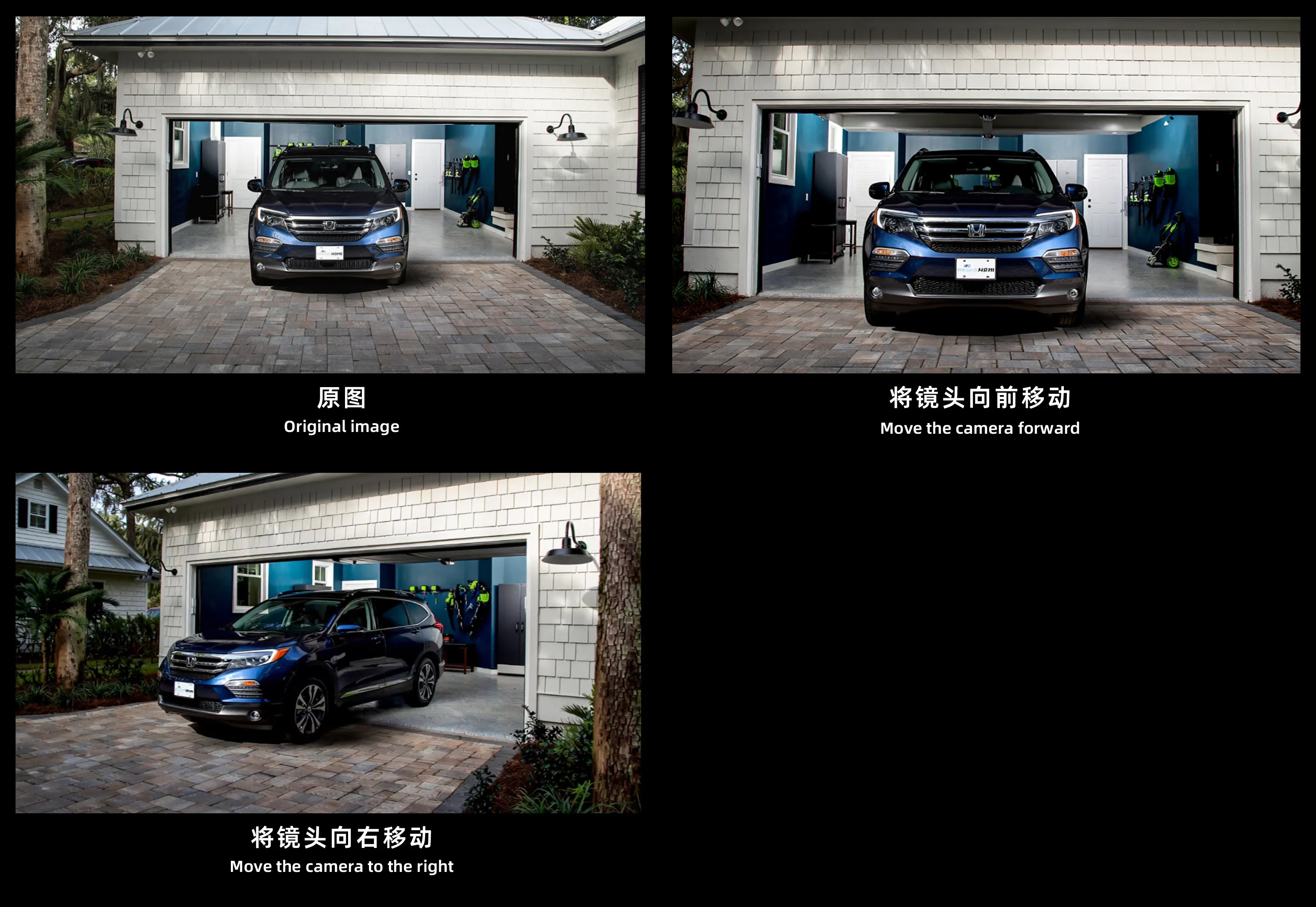

I noticed some people wanted to see a comparison between the LoRA and the model's native capabilities, so I conducted a test. The trained model is indeed more powerful and intelligent, while the original base model itself also possesses certain capabilities. It is very powerful, which is why we love this model, and precisely why we need to further unlock its potential.

作品
暂无作品
